How to build secure AI without ever exporting your data
Stop building AI apps the “old” way

Imagine if your AI could sit right next to your data and respond instantly, without shuffling data around. That gap between databases and AI systems has been one of the biggest pain points in building AI apps. Most teams still have to copy data out of secure databases into separate AI or analytics stacks, which adds latency, cost, and a lot of complexity.
Oracle’s newly launched Database 26AI flips this model. It brings AI directly into the database, so you can run models and intelligent agents exactly where your data already lives.
Challenges
Before we talk about the solution, let’s look at the problems most teams run into today.
First, data movement. AI models need access to your data, but that usually means pulling data out of your database into some other AI service or vector store. That’s slow, expensive, and every extra hop adds latency and security risk.
Second, fragmented architectures. You’ll often see one system for SQL data, another for JSON or documents, and a separate vector database just for embeddings. Keeping all of this in sync is painful and easy to mess up.
Third, stale knowledge. If you fine-tune a model on your data, it’s outdated the moment your database changes. Retraining takes time and money. If you don’t fine-tune, you still need live retrieval, which again means wiring up external systems.
And then there’s performance tuning. As AI-driven queries grow, someone has to keep creating indexes and optimizing queries. Many teams don’t have DBAs, so this becomes a constant time sink.
Introduction to 26AI
Oracle calls Database 26AI an AI-native database. That sounds like marketing, so let’s break down what it actually means.
The key idea is simple: AI is built directly into the database engine. Model inference, vector search, and even AI agents run inside the database process. AI isn’t something bolted on anymore, and your data doesn’t need to be shipped off to another system.
So instead of moving data to AI, the AI comes to the data. That’s a big shift. It means fewer data copies, better security, and much lower latency.
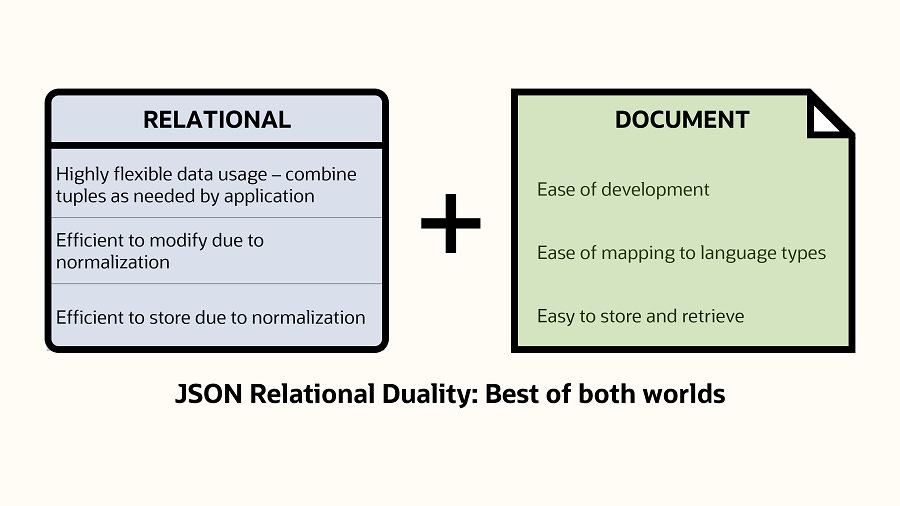
This also builds on Oracle’s long-standing converged database idea. You can store relational data, JSON documents, graph data, spatial data, and now vectors and AI models, all in one system. No separate databases, no glue code everywhere.
On top of that, Oracle 26AI uses AI internally for things like vector search, automatic tuning, and query optimization. So it’s not just “AI support” as a feature, AI is woven through the entire data stack.
Oracle describes this as an “AI for Data” approach: using AI not just on your data, but inside the database to make everything faster, simpler, and easier to work with.
Eliminating friction with in-database AI
One of the most important things in Oracle 26AI is how it removes friction between your database and AI.
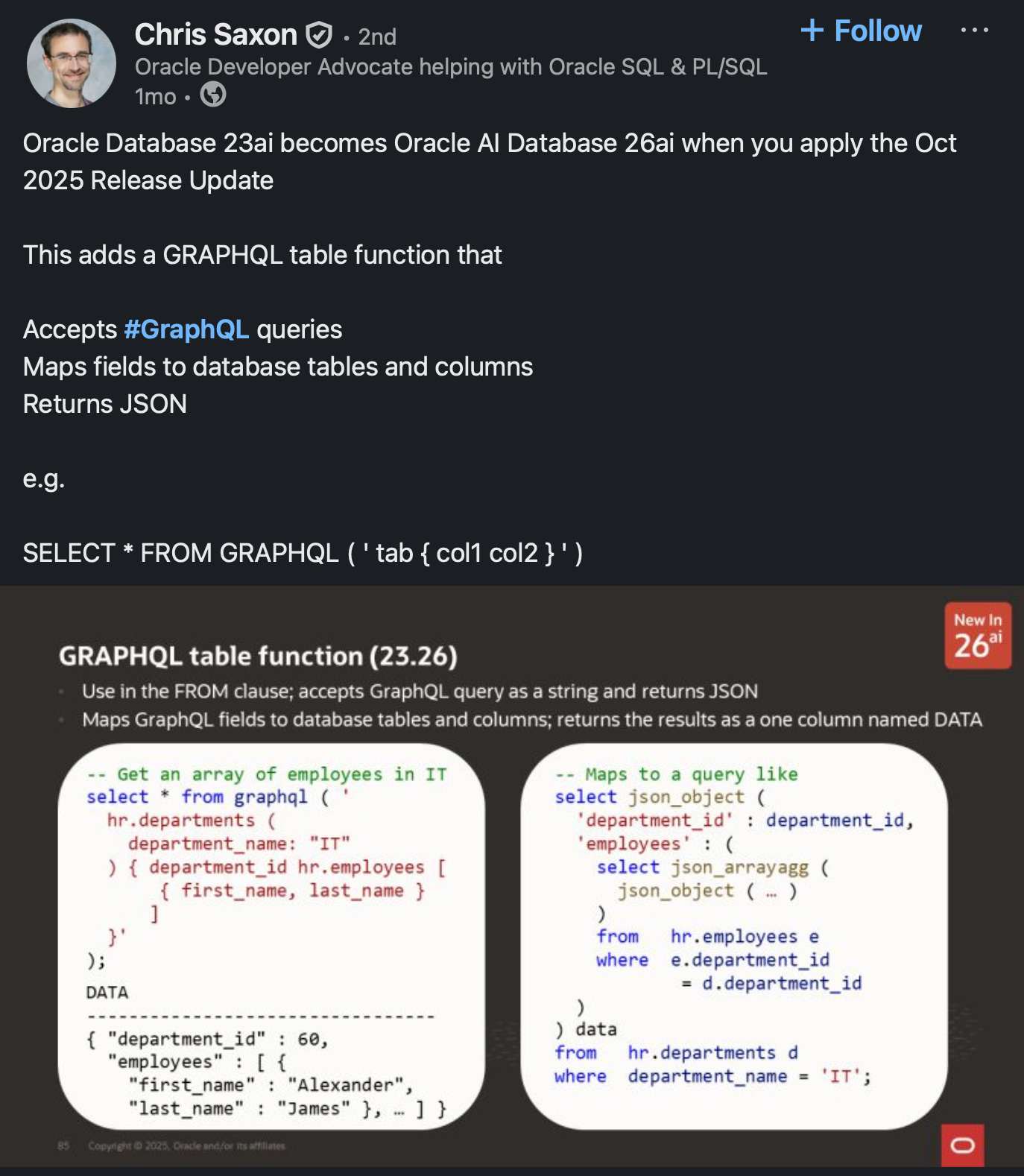
First, AI runs right next to the data. Oracle can host AI models and even AI agents directly inside the database environment. Using things like the Model Context Protocol, external LLMs can securely talk to the database, or you can use Oracle’s in-database AI services.
They started with Select AI, which let you query data in plain English. Now that’s evolved into Select AI Agent, where you can build actual AI agents inside the database. These agents can ask follow-up questions, reason over data, and take actions. Instead of building a lot of external application logic, the database itself becomes agent-aware.
Second, no more ETL to AI systems. Since AI runs where the data lives, you don’t need to ship data over APIs or pipelines. A task like “summarize today’s sales” can run directly on the database, without pulling data across the network. And when this runs on Exadata, vector search and AI workloads are even faster because some of that work is offloaded to specialized hardware.
Third, the data-to-AI pipeline is automated. Oracle 26AI can generate embeddings automatically, store them, index them, and use them for similarity search. You can use built-in models, bring your own ONNX models, or connect to popular LLMs in Oracle’s ecosystem. The database manages the full flow: data, vectors, retrieval, and feeding context into the model, all under the same security and access controls.
AI-Driven Performance Tuning and Autonomy
Another big part of Oracle 26AI is that it uses AI to manage the database itself.
If you’ve ever worked with databases, you know how painful performance tuning can be, figuring out indexes, fixing slow queries, partitioning data. Oracle has been moving toward self-tuning for years with Autonomous Database, and 26AI pushes this even further.
A great example is Automatic Indexing. Instead of a DBA guessing which indexes might help, the database watches real query patterns and uses AI to create or drop indexes automatically. In the past, tuning could take hours or even days. Now the system continuously learns from query history and keeps performance optimized on its own.
And it doesn’t stop at indexing. The query optimizer uses machine learning to choose better execution plans based on past runs. There’s also AI-driven SQL plan management that can detect performance regressions and fix them quickly.
Oracle calls this “AI for database management.” In simple terms, the database can self-tune, self-heal, and adapt as workloads change. For developers and teams, this removes a huge amount of manual work and guesswork.
This doesn’t replace database experts, it augments them. Think of it as an always-on assistant DBA working in the background, with the option for humans to review or override decisions. The result is a database that can handle transactions, analytics, and AI workloads together, while constantly adjusting itself to stay fast.
Built-In Vector Search - Your Database as an AI Knowledge Base
One of the flagship features in Oracle Database 26AI is built-in vector search.
If you’re building modern AI apps, chatbots, recommendation systems, or research agents, you’ve probably used RAG, or Retrieval Augmented Generation. The idea is simple: store embeddings of your documents and retrieve the most relevant pieces to send to an LLM. Normally, that means adding a separate vector database. Oracle 26AI removes that step by bringing vector search directly into the database.
Oracle calls this Unified Hybrid Vector Search. It means you can combine semantic search with regular SQL in a single query. For example: find documents that are semantically similar to a question, filter by date or category, and even pull in related graph data, all at once.
This is huge for AI apps. Imagine asking an assistant, “What does our Q3 sales report say about product X in Europe?” The database can retrieve the relevant paragraph from a PDF, the matching rows from a sales table, and even related knowledge-graph entries, in one query. The AI then uses that combined context to give a precise, up-to-date answer.
What this really means is that Oracle 26AI becomes a one-stop knowledge store for AI. You don’t need Postgres plus a vector DB plus a search engine glued together. One database can store your data and power semantic retrieval.
And because this is built into Oracle, you still get enterprise-grade security and governance. If a user or agent isn’t allowed to see certain data, those vectors simply won’t be retrieved. That’s critical for real-world, enterprise AI use cases.
Part of a Bigger AI Ecosystem
At this point you might be thinking, this all sounds good, but is Oracle actually serious about AI?
The answer is yes, just not in the way people usually expect.
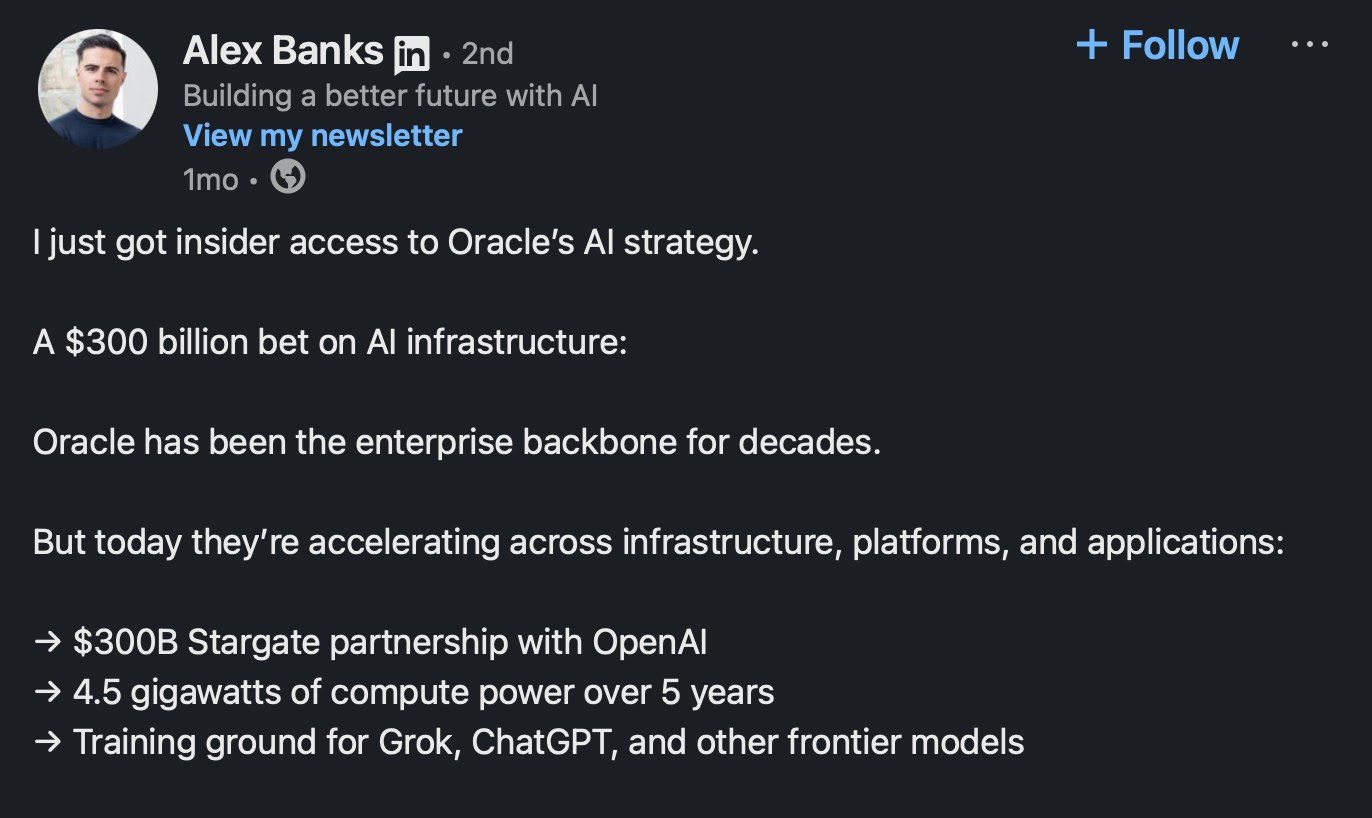
Oracle isn’t trying to build a ChatGPT competitor. Instead, it’s positioning itself as the infrastructure layer for AI, working with the biggest model builders out there.
You’ve probably seen the headlines. OpenAI signed a massive, multi-year partnership with Oracle to run a huge part of its compute on Oracle Cloud Infrastructure. Meta has also committed billions to Oracle for AI workloads. Anthropic, xAI, a lot of the major AI players are training models on OCI.
Why? Largely because of performance. Oracle has built OCI with extremely fast networking and large GPU clusters, and they’ve even announced what they call the world’s largest AI supercomputer in the cloud, stitching together tens of thousands of NVIDIA GPUs. For training large models, that kind of infrastructure matters.
This context is important for Database 26AI. It shows that the database isn’t some isolated product, it’s part of a much bigger AI strategy, from hardware all the way up to applications.
Just as importantly, Oracle is model-agnostic. Database 26AI isn’t locked to one AI provider. It supports standards like ONNX, so you can bring your own embedding models. It integrates with agent-style frameworks, and it can securely connect to external LLMs, whether that’s OpenAI, Anthropic, Cohere, or others.
The idea is that Oracle becomes an open hub: your data lives in one place, and you can apply whatever AI models or frameworks you prefer on top of it. That openness also shows up in things like Apache Iceberg support for lakehouse workloads.
From a developer’s point of view, you could train models on OCI GPUs, use best-of-breed LLMs, and store and serve your data through Oracle Database 26AI, all in one coherent setup, or even in hybrid environments.
Multi-Cloud Flexibility
At this point you might be wondering, do I have to move everything to Oracle Cloud to use this?
What if you’re already on AWS, Azure, or GCP?
The good news is Oracle has gone very hard on multi-cloud.
Oracle Database 26AI can run on Oracle Cloud, but it can also run inside other clouds through managed services. There’s Oracle Database@Azure, Oracle Database@AWS, and now even one for Google Cloud. Oracle manages the database, but it runs inside the cloud you already use.
They’ve also introduced Multi-Cloud Universal Credits, which makes this simpler. You can sign one contract with Oracle and then use those credits across AWS, Azure, GCP, or OCI. Same pricing model, same licensing, just deployed wherever it makes the most sense.
This flexibility is huge. You might want your database close to other services you already run, or in a specific region for latency or compliance reasons, and you can still get all the 26AI features.
Oracle has also partnered closely with Microsoft, with low-latency interconnects between OCI and Azure, and Database@Azure is now available in many regions and expanding. Similar work is happening with AWS.
The key point: choosing Oracle Database doesn’t lock you into one cloud. You get a portable, cloud-agnostic database.
That matters a lot for AI. For example, you might want to use Azure OpenAI for your models, but Oracle Database 26AI for your data and vector search. Multi-cloud makes that a clean architecture instead of a hack.
And if you’re on-prem, 26AI is a long-term support release there too. So wherever you run, cloud, multi-cloud, or on-prem, the advanced AI features are available.
Conclusion
If you want to try Oracle Database 26AI yourself, getting started is actually pretty easy. Oracle has an Always Free tier where you can spin up Autonomous Database instances with 26AI features included. You can also download the free developer edition and even run it locally, including in Docker, to experiment with things like JSON Duality and vector search.
Oracle’s LiveLabs workshops are another good option. They run in the browser, no setup needed, and walk you through real examples step by step. Since 26AI only launched recently, this is a good time to explore what an AI-enabled database actually looks like in practice.
Stepping back, even if you don’t end up using Oracle, the bigger trend is clear: databases and AI are converging. Oracle Database 26AI is one of the strongest examples of that shift, bringing AI, vector search, and automation directly into the data layer.
We covered a lot in this blog, from core concepts to real-world use cases. If any of this sounded interesting, the best way to learn is to try it yourself. Play with the free options, see how it fits your workflow, and explore what building AI closer to your data can unlock.
Thanks for watching, and happy building.
Shoutout to Oracle for sponsoring this blog.